

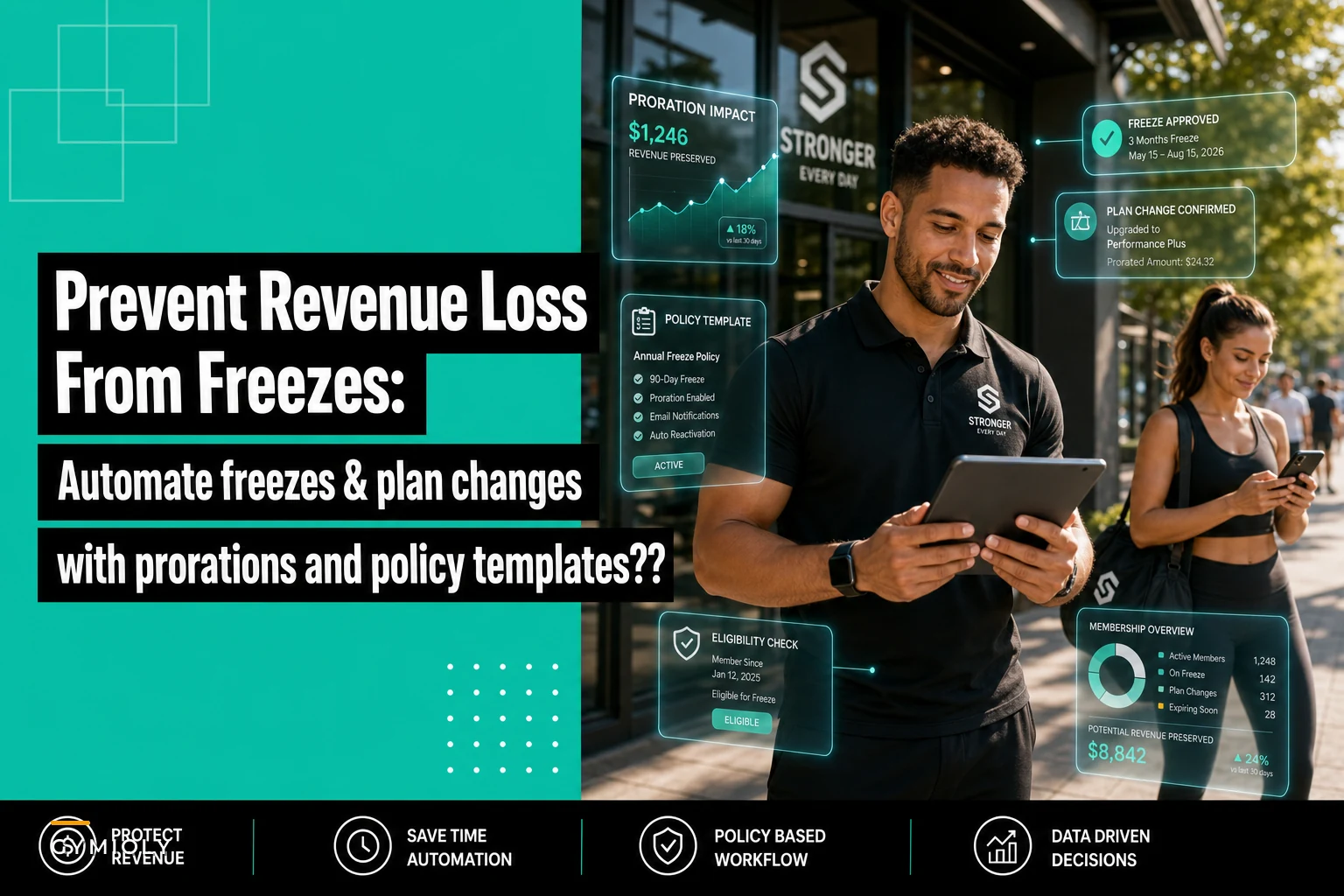

Running a fitness business means dealing with membership freezes every single week. Members travel, get injured, have work emergencies—life happens. But the way most gyms handle these requests creates a revenue mess that compounds month after month.
Why freeze management is quietly bleeding your monthly revenue
The real damage isn't the frozen membership itself. It's the operational chaos that manual freeze processing creates. Staff spending 20 minutes per request digging through billing systems. Members getting charged during supposed freeze periods because someone forgot to pause billing. Prorations calculated wrong, creating disputes three months later when members finally notice an overcharge.
What makes this worse is that membership freeze policy gym automation feels complicated, so most operators just accept the manual mess. They figure losing a few hundred dollars monthly to proration errors beats building a proper system. Except those "few hundred" turn into thousands when you factor in staff time, member disputes, and churn from people who got billed incorrectly.
Why freeze requests destroy operational flow
Every freeze request triggers a cascade of manual tasks that shouldn't exist in modern gym operations. Your front desk gets the request—maybe through email, maybe verbal, maybe a hastily filled form. Someone needs to verify the member's current plan, calculate proration if they're mid-cycle, update the billing system, notify the member of the freeze dates, set a reminder to unfreeze, and document everything for when disputes come up later.
End appointment chaos and boost attendance.
Gymioly streamlines booking, confirms sessions, and manages memberships effortlessly.
- Unified class and membership management
- Automated member notifications
- Trainer scheduling and availability
No credit card required
Multiply that by 15-30 freeze requests monthly for a typical 500-member gym. That's roughly 8-10 hours of administrative work producing zero revenue. Each manual touchpoint is another chance for an expensive mistake.
The proration calculations alone cause endless headaches. Member pays $89 monthly, requests a freeze starting March 12th. Do you prorate the 12 days? Credit next month? What if they have add-ons like personal training credits—does the freeze pause those too? Without clear policies and automated calculations, every freeze becomes its own negotiation.
Then there's the unfreeze problem. Setting calendar reminders works until the staff member who set them quits, or the reminder gets missed during a busy morning. Suddenly you have members who should be paying again but aren't, or members getting charged who should still be frozen. Either way, you're dealing with an angry customer and a potential chargeback.
The compound effect of inconsistent freeze policies
Gyms without standardized freeze workflows develop what I'd call policy drift. Different staff members handle freezes slightly differently. One person always rounds proration in the member's favor while another follows strict day-counting. One approves indefinite medical freezes while another caps them at 30 days.
These inconsistencies create real friction. Members talk to each other. When two people in identical situations get different freeze terms, trust erodes fast. The one who got the worse deal feels cheated—and sometimes takes that frustration to Google reviews.
Meanwhile, staff waste hours trying to retroactively create policies for situations that already happened. Should vacation freezes require advance notice? Can members freeze retroactively if they forgot to notify you before traveling? How many freezes per year is actually reasonable?
Without consistent enforcement, even well-documented policies break down. A new staff member won't know that "unlimited medical freezes" wasn't meant to cover chronic conditions that essentially ghost a membership indefinitely. They approve a freeze and turn a paying member into a dead account for six months.
Revenue preservation requires more than just pause buttons
A typical gym loses somewhere around 3-5% of monthly recurring revenue to freeze-related issues. Not from the legitimate freezes themselves—from the operational failures around managing them. Here's where that money actually goes:
Forgotten unfreezes cost the most. A 300-member gym with a $79 average membership forgets to unfreeze just four members monthly. That's over $300 in lost revenue that month alone. Those members rarely stay frozen just one cycle—three months later, you've lost nearly $1,000 from those four accounts. Scale that across a year with natural staff turnover and the occasional system failure, and you're looking at $8,000-12,000 in pure revenue leakage.
Proration disputes do different damage. Member catches a $15 overcharge from an incorrect proration three months after the fact. You refund it, but they've lost some trust. Their renewal decision now carries that experience. Even if only a fraction of disputed members churn earlier than they would have, the lifetime value impact across dozens of disputes a year adds up fast.
Inconsistent freeze fees are mostly just operational waste. Some gyms charge $5-15 monthly during a freeze to cover administrative costs. But collecting these manually means chasing down small payments, processing them one at a time, and dealing with members who "forgot" they owed anything. The staff time often exceeds the fee itself.
Building freeze automation that members actually accept
Successful membership freeze policy gym automation starts with clear guardrails that protect both revenue and member satisfaction. The automation handles standard cases and flags exceptions for human review. Your freeze policy framework needs to answer these questions upfront:
-
Maximum freeze duration per request (typically 1-3 months)
-
Annual freeze allowance (unlimited vs. capped at 2-3)
-
Minimum membership duration before freeze eligibility
-
Required notice period for planned freezes
-
Documentation requirements for medical freezes
-
Freeze fee structure and how it's collected
-
How add-on services are handled during freeze periods
-
Whether frozen time extends the contract
Once those parameters are defined, the automation handles execution. Member submits a freeze request through your member portal or app. The system checks eligibility based on tenure and previous freeze usage. If approved, it calculates exact proration based on their billing cycle, schedules the freeze start and end dates, adjusts the next billing date, sends confirmation with all relevant dates and amounts, and creates an automatic unfreeze task.
Everything processes instantly with consistent accuracy. No manual calculations. No forgotten unfreezes. No policy applied differently depending on who's working the desk that day.
This diagram shows the typical automated path for a standard freeze request.
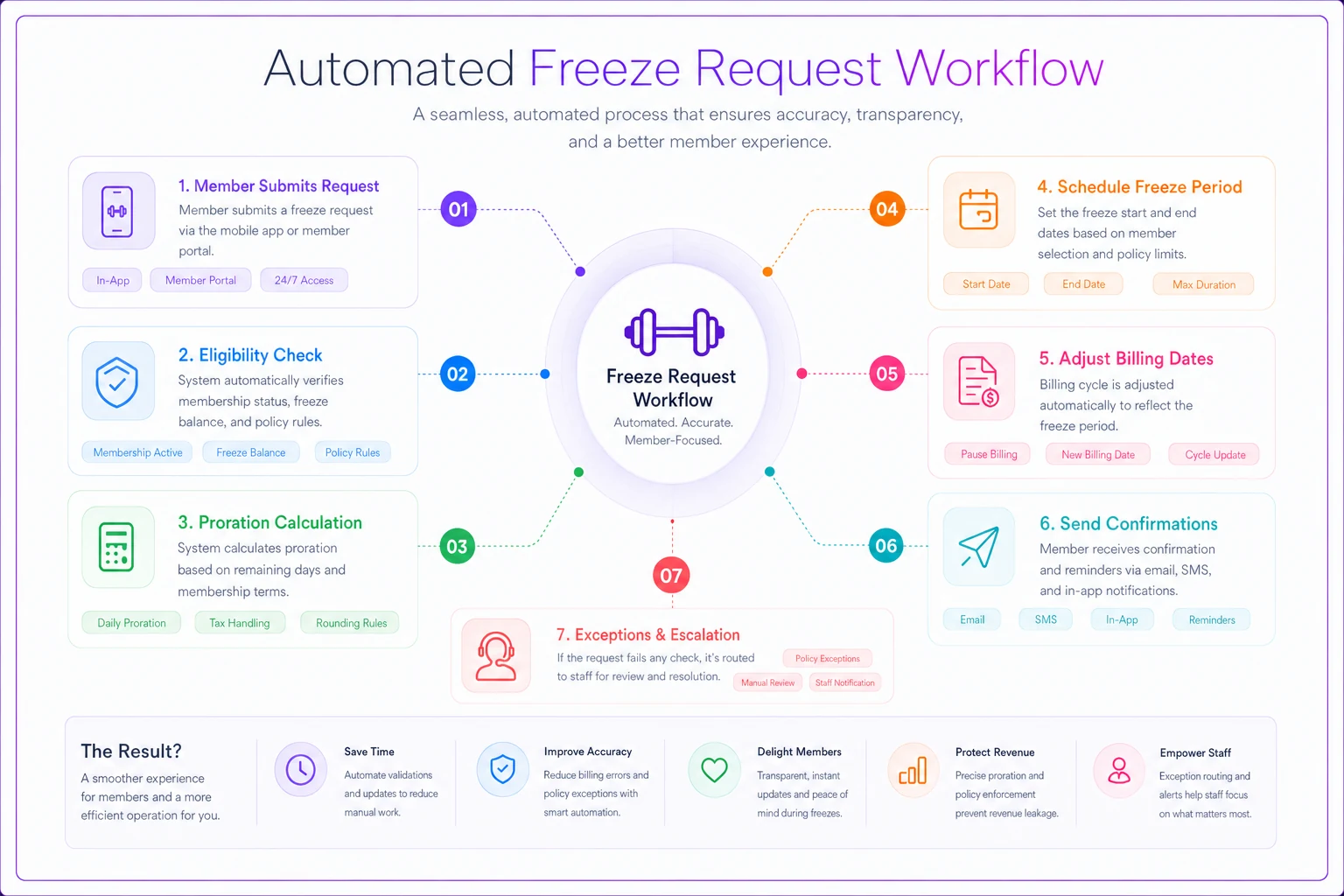
The image maps decision points and notifications so teams can see where exceptions must be handled manually.
Proration rules that prevent disputes
Proration math seems simple until you're explaining it to an irritated member months later. Clear, automated proration prevents most of these conversations entirely.
The cleanest approach is daily proration with immediate credit application. Member with a $90 monthly membership freezes from the 10th to the 25th. System calculates: 15 frozen days ÷ 30 days = 50% of the month frozen. $90 × 0.5 = $45 credit applied to their account immediately.
Use daily proration with immediate credits to minimize disputes and improve transparency.
For gyms with more complex billing setups, the automation needs additional logic:
| Billing Scenario | Proration Method | Credit Application |
|---|---|---|
| Monthly recurring | Daily rate calculation | Immediate account credit |
| Prepaid packages | Pause expiration date | Extend package duration |
| Class packs | Freeze usage counter | No credit needed |
| Annual members | Monthly equivalent | Credit or extend choice |
The automation should also handle edge cases that typically require manual intervention. Member freezes mid-month but has already attended classes worth more than their prorated amount? System flags for review rather than issuing an automatic credit. Member requests a freeze starting yesterday? System denies with a clear explanation of the notice requirement.
Communication sequences that reduce freeze-related churn
Most freeze-related churn doesn't happen during the freeze—it happens at reactivation. Members forget their membership is resuming. They see the charge, feel caught off guard, and cancel instead of re-engaging.
-
Freeze confirmation (immediate) Confirms freeze dates, any applicable fees, explains what happens to account benefits, and sets clear expectations about the unfreeze date.
-
Mid-freeze check-in (halfway point) Shares at-home workout resources, mentions any gym updates or new classes, reminds about the unfreeze date, and offers an early unfreeze option if they're ready.
-
Pre-unfreeze notice (7 days before) Announces the upcoming reactivation, shows the next billing date and amount, offers the option to extend if needed, and includes a booking link for their first class back.
-
Reactivation welcome (day of unfreeze) Welcomes them back, provides a booking credit or small perk, suggests beginner-friendly classes for returning members, and connects them with staff if they want support.
Each message serves a specific purpose in reducing friction and rebuilding momentum. The automation ensures consistent timing while still feeling personal through contextual content.
Permitted hold scenarios beyond standard freezes
Medical freezes, military deployments, and extended travel require different handling than a standard vacation freeze. These situations often involve documentation, longer timelines, and billing considerations that a basic freeze workflow won't cover.
The solution is creating distinct freeze categories with their own automation rules:
Medical freezes require documentation upload, allow extended duration (60-90 days), waive freeze fees, pause all add-on services, and trigger a return sequence focused on gradual reintegration.
Military deployment freezes include an indefinite duration option, immediate activation upon request, full service suspension, priority reactivation handling, and potential contract adjustment upon return.
Travel freezes enforce advance notice requirements, cap at 30-60 days, maintain applicable freeze fees, keep add-ons active if preferred, and auto-unfreeze without extension.
Financial hardship holds might offer a reduced rate option, payment plan alternatives, limited service access, a specified review period, and a clear transition path back to full membership.
Each request type routes through its appropriate workflow—consistent handling, but with the flexibility these situations actually require.
Setting up escalation triggers for exception handling
Even solid automation needs human oversight for edge cases. The goal is building escalation triggers that flag genuinely unusual situations without flooding staff with routine approvals.
Useful escalation triggers might include:
-
Third freeze request within six months
-
Extension request beyond the policy maximum
-
Medical freeze without documentation after 48 hours
-
Freeze request more than 30 days in the future
-
Member with a negative account balance requesting a freeze
-
Corporate account freeze affecting multiple users
-
Freeze request immediately after signup or renewal
When triggered, the system holds the request and notifies designated staff with full context—member history, previous freeze patterns, account standing, and the specific trigger reason. Staff can approve, deny, or modify with one action, and the decision gets automatically communicated to the member.
This keeps 85-90% of freeze requests fully automated while making sure unusual situations actually get looked at. It also creates useful data for policy refinement—if the same escalation keeps firing, your base rules probably need an update.
The economics of freeze automation
Running the numbers for a 400-member gym implementing comprehensive freeze automation:
Before automation:
-
20 freeze requests monthly × 20 minutes processing = 6.7 hours staff time
-
3 forgotten unfreezes monthly × $79 average = $237 lost revenue
-
2 proration disputes monthly × 30 minutes resolution = 1 hour staff time
-
5% of freezing members churn due to poor experience = roughly 1 lost member monthly
After automation:
-
20 freeze requests × 2 minutes verification = 0.7 hours staff time
-
Zero forgotten unfreezes = $0 lost revenue
-
Near-zero disputes = negligible time
-
2% freeze-related churn = 0.4 lost members monthly
The net improvement of around $464 monthly—roughly $5,500 annually—comes from basic operational efficiency alone. That doesn't include the harder-to-measure benefits: better member satisfaction, less staff stress, and capacity freed up for work that actually generates revenue.
Operational transformation through policy standardization
The real value of membership freeze policy gym automation extends well beyond individual freeze handling. It changes how your entire operation manages the member lifecycle.
With consistent, automated freeze policies, revenue forecasting becomes far more predictable. You know exactly how many members are frozen, when they'll return, and what billing to expect. Planning becomes based on real data instead of rough estimates.
Staff confidence improves too. Front desk employees stop dreading freeze conversations because they know the system handles calculations correctly and policies apply fairly. That confidence tends to carry into other member interactions as well.
Member behavior shifts in ways you might not expect. When freeze policies are clear and automated, members stop trying to negotiate or threaten cancellation to get what they want. They request freezes when they genuinely need them, plan ahead because the process is painless, and come back more engaged because communication during the freeze kept them connected.
The data visibility alone is worth something. You can track freeze patterns, catch seasonal trends, spot churn risks earlier, and adjust policies based on actual impact. If medical freezes spike in January, maybe you need better injury prevention programming. If vacation freezes cluster in August, a summer freeze package might preserve more revenue while keeping members happy.
More than anything, automation frees your team to focus on what actually grows the business—member experience, program quality, community. Instead of chasing freeze fees and manually calculating prorations, they're welcoming people back, helping with goals, and building the relationships that drive long-term retention.
The gyms doing well right now aren't the ones with the strictest freeze policies or the most complex enforcement. They're the ones who've systematized the operational stuff well enough that members barely notice it. Freezes process quickly, billing stays accurate, and members trust the system enough to use it when needed and come back when they're ready. That trust—built through consistent, reliable operations—ends up being a real competitive advantage in a market where plenty of gyms are still managing freezes through spreadsheets and sticky notes.
Ready to elevate your gym operations?
Join 2,000+ gyms using Gymioly to reduce admin overhead, improve member experience, and grow revenue.