
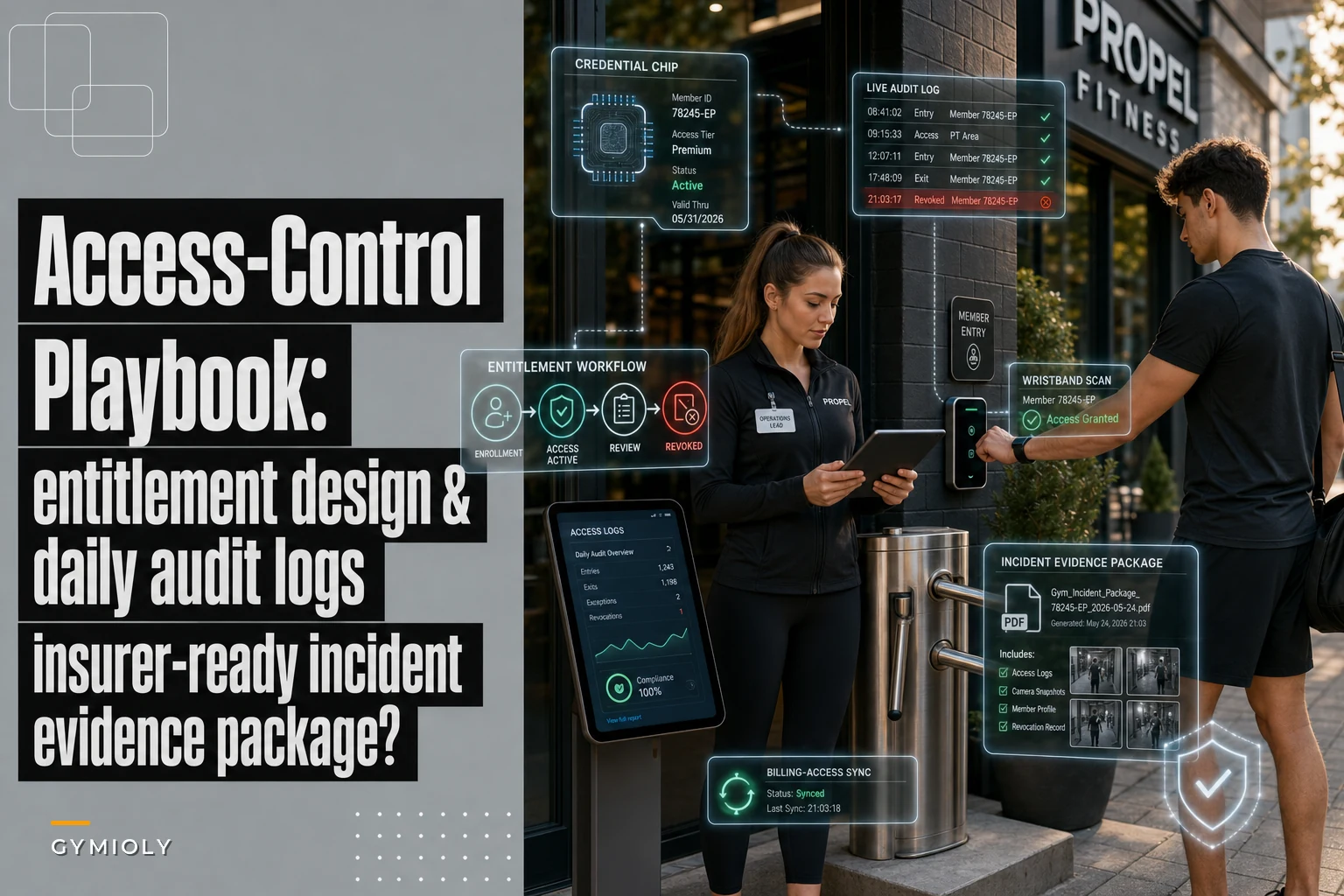

Most gyms don't have an access problem until the exact moment they need to prove something. A member claims they were double-charged for a guest pass. A theft happens at 11pm during unstaffed hours and your insurer wants to know who was inside. A former employee's key fob still opens the back door three weeks after they quit. Suddenly the whole thing matters, and the scramble to reconstruct what happened is where most operators lose money, credibility, and sometimes a claim.
A gym access control policy isn't really about the hardware. The fobs, turnstiles, and PIN pads are the easy part. The hard part is the logic behind who's allowed where, the daily discipline of checking that the logic still holds, and having evidence organized enough that an adjuster or a lawyer takes it seriously. That's what this playbook covers.
Start with entitlements, not doors
The most common mistake is thinking about access in terms of physical doors instead of entitlements. A door is a thing people walk through. An entitlement is a right — this specific person, with this membership type, is permitted to be here during these hours, and is allowed to bring this many guests.
When you design around doors, you end up with something like "everyone with a fob can open the main entrance 24/7." That's fine until you realize your $39 off-peak membership tier is walking in at 7pm on a Monday — your most crowded hour, which is exactly what you priced them out of. The access system never enforced what the pricing promised.
Entitlement design means mapping each membership and staff role to a specific set of permissions before anyone touches the badge reader. Here's a simplified version of what that table should look like:
| Role / Tier | Access hours | Zones | Guest passes | Overlap rules |
|---|---|---|---|---|
| Full member | 24/7 | All member zones | 2/month | None |
| Off-peak member | Mon–Fri 5am–3pm, weekends all day | Main floor, locker rooms | 1/month | Blocked 3pm–8pm weekdays |
| Class-only member | 1hr before/after booked class | Studio + lobby | 0 | No floor access |
| Day pass / guest | Single day, staffed hours only | Main floor | N/A | Auto-expires midnight |
| Front desk staff | Scheduled shift ±30 min | All except office/safe | N/A | Revoked on clock-out |
| Trainer (contractor) | Booked session windows | Floor + studio | N/A | No after-hours unless flagged |
| Manager | 24/7 | All zones | N/A | None |
The pattern worth noticing: most gyms grant way more access than any tier actually needs, because it's easier to say yes to everything than to maintain the rules. That laziness is what creates liability later. If your class-only members can wander onto the main floor unsupervised at 6am, you've quietly changed your insurance risk profile without telling your insurer.
Design entitlements so the least access that still delivers the promised experience is the default. You can always add. Taking access away after the fact feels like a punishment to members and generates complaints.
The enrollment and revocation process (where most leaks actually happen)
Enrollment is usually fine because someone's paying and everyone's motivated to make it work. Revocation is where gyms bleed. The fob that still works after cancellation. The trainer who left on bad terms but can get in at 2am. The frozen membership that somehow still scans.
End appointment chaos and boost attendance.
Gymioly streamlines booking, confirms sessions, and manages memberships effortlessly.
- Unified class and membership management
- Automated member notifications
- Trainer scheduling and availability
No credit card required
-
Enrollment trigger. Access is never granted at signup. It's granted only after payment clears AND the entitlement tier is confirmed in the system. Tie the credential to the member record, not to a standalone fob number floating in a spreadsheet.
-
Credential binding. Every fob, PIN, or app token is bound to one member ID. No shared credentials, no "guest fob" that five people pass around. If you can't tell exactly who used a credential, the credential is worthless as evidence.
-
Status sync. Access status must follow billing status automatically. Failed payment → grace period flag. Cancellation → scheduled revocation at period end. Freeze → access suspended for freeze duration. The gap between "billing says no" and "door says yes" is where disputes live.
-
Revocation at the source. When someone cancels, quits, or gets terminated, revocation happens at the entitlement level — which should kill every credential that person holds across every door. Revoking one fob and forgetting the app login is the classic failure.
-
Same-day staff offboarding. Employee and contractor access gets revoked the same day they're separated — ideally the same hour for involuntary terminations. This is the one most gyms consistently get wrong.
-
Confirmation log. Every revocation generates a timestamped record of who revoked it, when, and why. You will need this exact record someday.
The part people underestimate is step 3. When your access system and your billing system don't talk to each other, you're manually reconciling two sources of truth, and manual reconciliation always drifts.
If you're evaluating how your tools connect, it's worth reading through the provider-neutral integration checklist before committing to anything — the wrong integration between billing and access creates exactly the gaps described above.
The enrollment-to-revocation workflow looks like this:
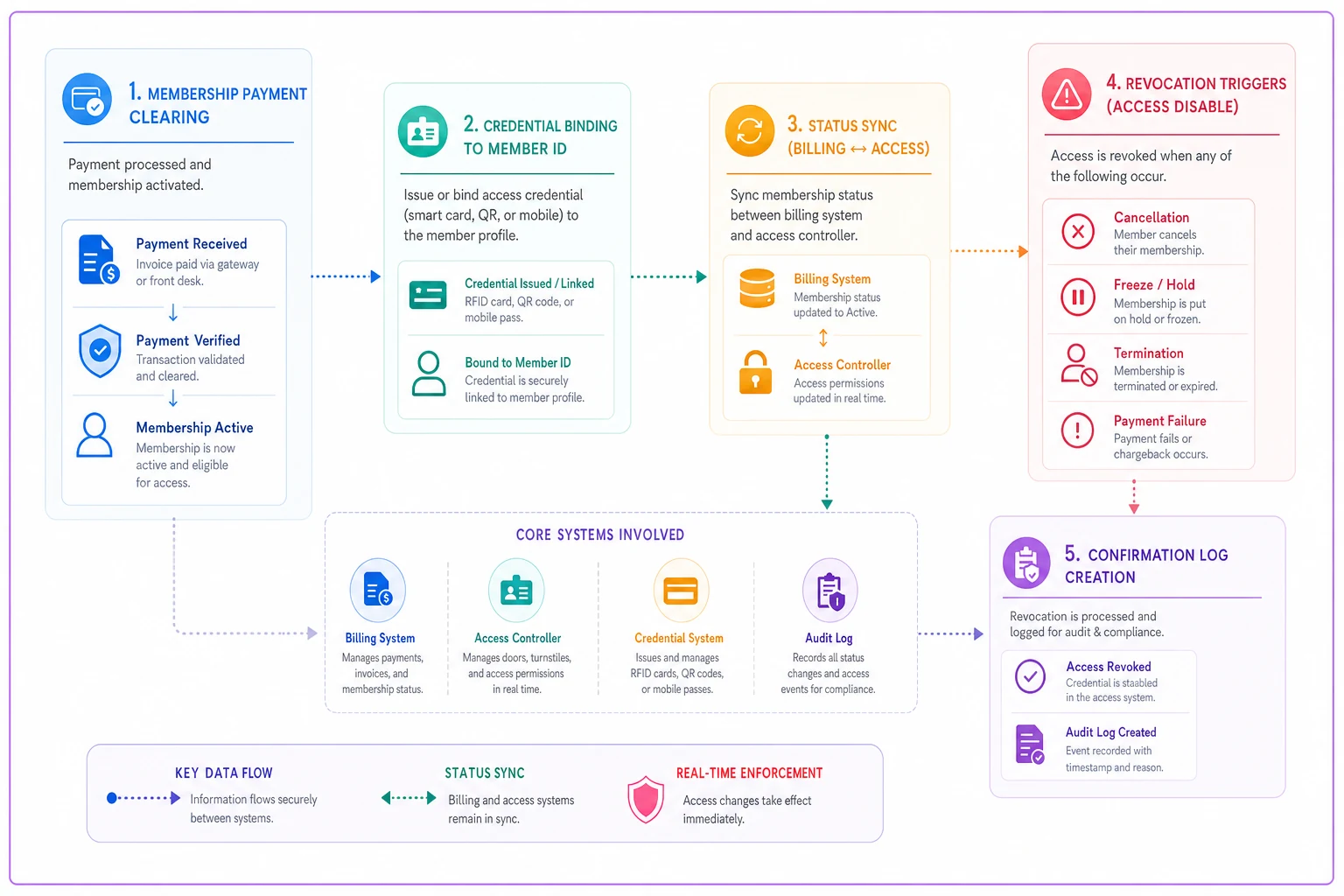
If the review between billing and access is manual, expect drift. Automate the status sync or build in the checks so revocations happen reliably.
The daily audit checklist
Entitlements drift. Someone manually overrides an access rule to let a VIP in after hours and forgets to undo it. A fob gets reassigned without clearing the old binding. The only defense is a short daily check — not a quarterly audit, a daily one — that someone actually runs in under ten minutes.
Here's the checklist that catches the most problems for the least effort:
-
Orphaned credentials Any active fobs/PINs bound to member records that are cancelled, expired, or frozen? There should be zero. Anything above zero gets investigated same day.
-
After-hours entries Pull the overnight access log (roughly 10pm–5am). Every entry should map to a 24/7-entitled member or a flagged staff reason. Unexplained entries get escalated.
-
Overlap violations Did any off-peak or class-only members badge in during blocked hours? If your system allowed it, the rule isn't actually enforced — fix the rule, not just the member.
-
Staff access outside shifts Anyone on staff badge in more than 30 minutes before/after their scheduled shift? Could be innocent, could be a problem. Log it either way.
-
Failed-scan spikes A sudden cluster of denied scans at one door often means a tailgating attempt or a broken reader. Both matter.
-
Manual override register Every override from the prior day logged with who, why, and an expiry. Overrides without expiry dates are how "temporary" becomes permanent.
The discipline here is boring, which is why it works. Gyms that get burned are the ones who audit after an incident. By then the log already shows the mess, and you're explaining it reactively to an insurer instead of having caught it yourself.
Where automation earns its keep
This is one place where it's worth flagging software directly, because the daily audit is genuinely painful to run by hand across multiple log sources. Access-control reviews that pull from your door controller, billing status, and staff schedule into a single daily exception report are the difference between a ten-minute check and a forty-minute data-stitching exercise nobody actually does. The point isn't the tooling — it's that a check nobody runs protects nobody. If the review takes forty minutes, it won't happen consistently.
Automate cross-source reconciliation so the daily exception report runs in under ten minutes and someone actually does it every morning.
AI-assisted operational platforms can automate exactly this kind of cross-source reconciliation, flagging orphaned credentials or after-hours anomalies without someone manually pulling three exports every morning. Whether you build that into your existing software stack or use a dedicated platform, the goal is the same: make the daily check so frictionless that skipping it would feel weird.
Building an insurer-ready incident evidence package
When something goes wrong — theft, injury, an after-hours incident, an assault claim — the quality of your evidence package determines whether a claim gets resolved cleanly or turns into a six-month argument. Adjusters aren't hostile, but they're skeptical by training, and disorganized evidence reads as unreliable evidence.
A solid package, assembled within 24–48 hours of an incident, contains:
-
The access log excerpt for the relevant time window, showing every entry and exit, who they were, and which credential was used. Raw and unedited — never a summary you typed up.
-
Credential status snapshots proving which members were entitled to be present and which weren't.
-
Video correlation if you have cameras, with timestamps matched to the access log so an adjuster can see "fob scan at 11:04pm" line up with the footage.
-
The incident report itself
who filed it, when, what happened, witnesses.
-
Your written access control policy as it existed on that date, proving you had a reasonable standard in place and were following it.
-
Revocation and override logs for the relevant period, demonstrating no unauthorized access went unexplained.
-
A single-page summary that indexes all of the above so the adjuster isn't hunting through folders.
What separates a strong package from a weak one is usually the policy document. If you can show the insurer "here is the rule we had in place, here is the daily audit that enforced it, here is the log proving we followed it," you've moved from "trust us" to "here's the paper trail." That shift is worth real money on a disputed claim.
This slots directly into broader incident handling — if you haven't formalized how you notify carriers and classify incidents by severity, the business-resilience playbook with its triage matrix and insurer notification templates pairs with this access package to give you the full response flow.
Real scenario
A single-location strength gym with around 600 members ran 24/7 unstaffed access overnight. Someone's locker got broken into around 1am and the member filed a claim, blaming the gym's security. The owner's first instinct was panic — no night staff, so who could prove anything?
But the access logs showed exactly four people had badged in between midnight and 2am, each on a valid 24/7 entitlement, each bound to a named member record. Camera timestamps matched three of the four entries. The fourth was the claiming member himself. The evidence package — logs, policy, footage, all assembled within a day — made the situation pretty unambiguous. The claim resolved in about two weeks instead of dragging out, and the gym's premium didn't take the hit a messy, disputed claim would've caused. Rough cost of having everything organized: a few hours of the manager's time. Rough cost of not having it: a multi-thousand-dollar claim fight plus a renewal surprise.
Member-staff dispute scripts
The front desk absorbs most access disputes, and untrained staff either cave immediately (giving away access the policy says no to) or dig in and create a scene. Both are expensive. Scripts give your team a clear boundary and a way to enforce it without making it personal.
Three situations cover most of what actually comes up:
"My fob isn't working and I pay every month." > "Let me pull up your account right now so we can sort this out. Okay — I'm seeing a payment that didn't go through on the [date], which is why access paused. I can get you in today, and we'll fix the payment so this doesn't happen again. Want to handle that now?" The key move: never argue about whether they pay. Pull the record, state what it shows, offer a path forward. The log is the authority, not the staff member's opinion.
"I should be able to come in whenever, I've been a member for years." > "I hear you, and we really appreciate you being with us this long. Your current plan is our off-peak membership, which covers [hours]. If you'd like 24/7 access, I can upgrade you right now and you'd be set going forward. Would that work?" This turns an access denial into an upsell without the member feeling penalized. The entitlement rule gets framed as a plan feature, not a rejection.
"Your guy let my friend in last week, why can't you?" > "That shouldn't have happened, and I'm sorry for the mixed message — guest access does need a day pass or a guest entitlement so we can keep everyone covered on our insurance. I can set your friend up with a day pass right now for [price]. That keeps you both good to go." Here you're correcting a prior staff error without throwing the coworker under the bus, and tying the rule to insurance — which members accept far more readily than "because policy."
The principle across all three is the same: the staff member is never the one saying no. The record and the policy say no. Staff just read it and offer the next step. That reframing takes the emotional heat out of most front-desk access conflicts.
When tight access control is worth it — and when it's overkill
Not every gym needs rigorous entitlement enforcement. A fully staffed boutique studio where a human checks everyone in at the door has different exposure than a 24/7 unstaffed facility where the door is the only gatekeeper.
Tight, audited access control genuinely matters when you run unstaffed hours, offer tiered access that your pricing depends on, carry higher-value equipment or retail, or operate somewhere where after-hours incidents are a realistic risk. In those cases, the audit discipline and evidence package aren't bureaucracy — they're what stands between you and an unpaid claim.
It's closer to overkill when you're fully staffed every operating hour, run a single flat membership tier, and have no overnight access. You still want clean revocation and basic logs, but the daily exception audit can be lighter. Don't build a surveillance apparatus for a problem you don't actually have.
The one group that shouldn't cut corners regardless of size: anyone offering 24/7 or early-morning unstaffed access. The moment there's no human at the door during open hours, your access system is your security, your pricing enforcement, and your legal record all at once. That's not a place to improvise.
The bottom line, stated plainly
Access control fails quietly. Everything looks fine right up until the night you need to prove who was in the building, and then the gaps you ignored for a year all surface at once. The fix isn't expensive hardware — it's designing entitlements around real needs, keeping revocation as disciplined as enrollment, running a boring ten-minute daily check, and keeping your evidence organized enough that an insurer reads it as credible.
Start with the entitlement table. Fix your revocation sync. Run the daily audit for two weeks and see how many orphaned credentials you find. Most operators are surprised — and a little uncomfortable — by what the first week turns up. Which is exactly why it's worth doing before someone else forces you to look.
Ready to elevate your gym operations?
Join 2,000+ gyms using Gymioly to reduce admin overhead, improve member experience, and grow revenue.